payroll5 min readAugust 26, 2026👁 310 views
Pay Stub Examples for Employees, Contractors, and Small Businesses
Need clear pay stub examples? This guide provides comprehensive templates for employees, contractors, and small businesses. Understand how different worker types are compensated.
Need this document right now?
Skip to our generator • Live PDF preview • Instant download
Quick answer Readers are looking to understand the structure and content of various pay stubs. They want clear visual examples to ensure they are being paid correctly regardless of their employment status.
This guide is general educational information for everyday document users, small business owners, landlords, contractors, and families. It is not legal, tax, or financial advice.
Why this document matters Pay stubs serve as detailed records of wages earned and deductions taken out. Understanding these documents is crucial for budgeting, filing taxes, and verifying income. Whether you are an employee or a contractor, knowing what components like gross pay, net pay, and specific withholdings mean helps ensure financial clarity.
What to prepare before you start - Verify all listed deductions match your tax forms (W-4). - Compare the stub's pay period dates to your actual work schedule. - Check that both hours worked and agreed hourly rates are accurately recorded. - Confirm the calculation for overtime pay adheres to standard labor laws. - Ensure the total gross pay matches your documented earnings for the period.
Common mistakes to avoid - Assuming all deductions are mandatory without checking local regulations. - Overlooking discrepancies between reported hours and actual work time. - Confusing net pay (take-home) with gross pay (total earned). - Failing to keep stubs in a secure, organized record system for tax purposes.
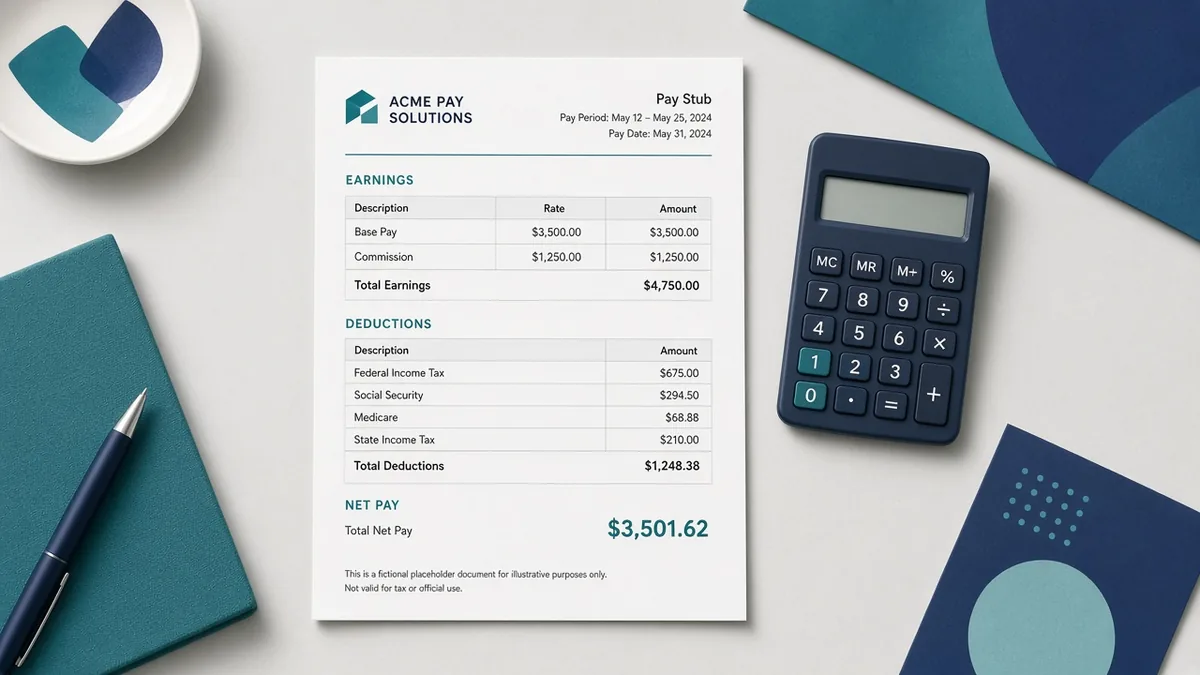
Practical example A typical employee stub will list sections for federal taxes, state taxes, FICA contributions, and the specific salary or hourly wage. Contractors, conversely, usually receive invoices detailing services rendered rather than traditional pay stubs.
How iRunDocs fits into the workflow iRunDocs helps you move from scattered notes to a finished pay stub PDF. Start with the key facts, use the guided generator, review the preview carefully, and download the final document for your records. If the situation is complex, state-specific, or high-value, use the generated document as a clean starting point and get qualified professional review before relying on it.
Final review checklist - Check spelling on every name and business name. - Confirm dates, amounts, addresses, and deadlines. - Make sure the document title matches the actual situation. - Save the final PDF before sending it. - Keep proof of signature, delivery, payment, or acceptance when it matters.
FAQs ### What is gross pay? Gross pay is your total earnings before any deductions are taken out for taxes or benefits.
How often should I receive a pay stub? The frequency depends on the employer's payroll schedule, which can be weekly, bi-weekly, semi-monthly, or monthly.
Can contractors get pay stubs? Contractors typically receive invoices and 1099 forms instead of traditional employee pay stubs.
Bottom line The strongest document is not the one with the most legal-sounding words. It is the one that captures the facts clearly, gives both sides a reliable reference point, and can be found later when it matters. For paystub examples, the best move is to prepare the facts first, generate the PDF carefully, and review before sending or signing.
paystub examplespay stub generatorpay stub formcreate pay stub online
Need a payroll Document?
Create professional documents in under 5 minutes with iRunDocs.
Create a Pay Stub →