payroll5 min readAugust 26, 2026👁 304 views
Create a Pay Stub Online: What Information You Need First
Need to create a pay stub online? This guide outlines all the essential information you must gather before starting. Learn what details are required for an accurate, compliant document.
Need this document right now?
Skip to our generator • Live PDF preview • Instant download
Quick answer The reader needs to generate or reconstruct a pay stub, either because they lost the original, need it for proof of income, or are learning how payroll works. They are seeking a clear checklist of required data points.
This guide is general educational information for everyday document users, small business owners, landlords, contractors, and families. It is not legal, tax, or financial advice.
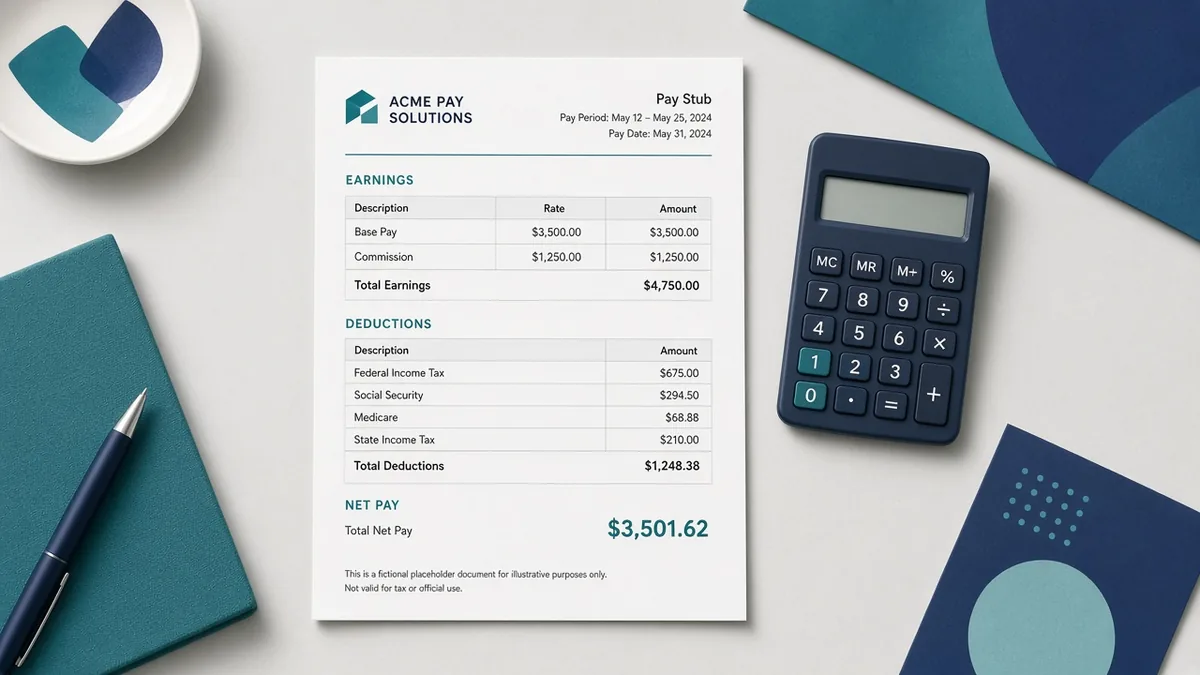
Why this document matters A pay stub is an official record detailing wages earned and deductions taken out by an employer. To create one accurately, you must collect specific personal, employment, and financial details. Understanding these components ensures the resulting document reflects accurate compensation history for tax and verification purposes.
What to prepare before you start - Gather employee information (full name, address, ID number). - Collect pay period dates and total gross wages earned. - Identify all applicable deduction types (taxes, benefits, garnishments). - Obtain the employer's EIN and company details. - Confirm the payment frequency (e.g., bi-weekly, monthly).
Common mistakes to avoid - Assuming standard tax rates apply without checking current federal guidelines. - Forgetting to include mandatory deductions like state or local taxes. - Using outdated pay period dates, which invalidates the document's purpose. - Omitting the employer’s official identification number (EIN).
Practical example If you are recreating a stub for a loan application, ensure the pay period shown matches your bank statements. For instance, if your last paycheck covered 05/15 to 05/31, that date range must be accurately reflected on the generated document.
How iRunDocs fits into the workflow iRunDocs helps you move from scattered notes to a finished pay stub PDF. Start with the key facts, use the guided generator, review the preview carefully, and download the final document for your records. If the situation is complex, state-specific, or high-value, use the generated document as a clean starting point and get qualified professional review before relying on it.
Final review checklist - Check spelling on every name and business name. - Confirm dates, amounts, addresses, and deadlines. - Make sure the document title matches the actual situation. - Save the final PDF before sending it. - Keep proof of signature, delivery, payment, or acceptance when it matters.
FAQs ### Is a recreated pay stub legally valid? A self-generated or reconstructed pay stub is generally for informational purposes. For official use with financial institutions, always request the original statement from your employer.
What is gross vs. net pay? Gross pay is your total wages before any deductions are taken out. Net pay is the final amount you receive after taxes and other withholdings.
How often should I keep my pay stubs? It is recommended to save digital copies of all pay stubs for at least one year, or longer if required by a specific financial institution or tax authority.
Bottom line The strongest document is not the one with the most legal-sounding words. It is the one that captures the facts clearly, gives both sides a reliable reference point, and can be found later when it matters. For create a pay stub, the best move is to prepare the facts first, generate the PDF carefully, and review before sending or signing.
create a pay stubpay stub generatorpay stub formcreate pay stub online
Need a payroll Document?
Create professional documents in under 5 minutes with iRunDocs.
Create a Pay Stub →